
Path Application Practice Extended Activity
Lesson Eight
Introduction
This lesson will serve as an extended activity to build upon what the campers have already learned about using Path. This will allow the campers to feel more comfortable when using this application.
- Algorithm design
- Command sequences
- Control flow
- Sensors and Events
- Problem-solving
Lesson Objective
Today we will:
Control Dash using the “Path” application.
So We Can:
Complete basic drag and drop programming challenges, small puzzles using coding, and will control Dash by “drawing” a route for Dash to follow.
Content Vocabulary
- Robot– “a machine capable of carrying out a complex series of actions automatically, especially one programmable by a computer.” (Google)
- Coding-A system of signals used to represent letters or numbers in transmitting messages. The instructions in a computer program. A way to communicate with the robot. (Google)
- Programming– the action or process of writing computer programs.
- Drag and Drop– move (an icon or other image) to another part of the screen using a mouse or similar device, typically in order to perform some operation on a file or document.
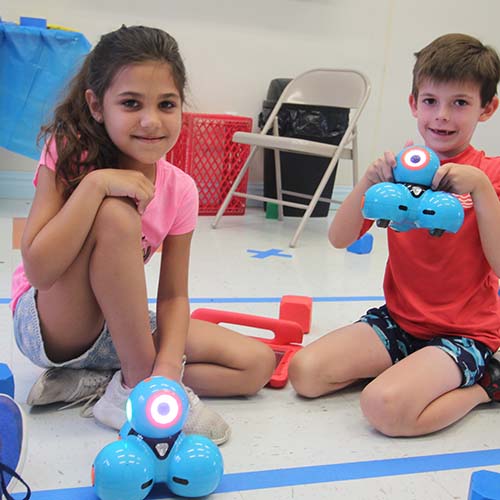
Teacher Demonstration
Estimated Lesson Time: Approx. 20
- The teacher will ask campers to turn and talk with a different partner then yesterday to explain what they did in the previous lesson. (allow about 3 minutes for this discussion)
- Camper will share with the class what their partner said.
- Re-define what drag and drop means. (review content vocabulary)
- Have a camper model how the drag and drop program works. *Open Path application and connect Dash to the device. *Open the first puzzle: Camper will review with the teacher support the steps of using Path.
Extension Activity
Camper Grouping: Pairs
(Recommended to group high/low campers together.)
- Each camper has to give their partner directions in order to create a Path for Dash. They need to follow directions by listening to the directions from their partner.
- Once both campers in the group have had practice taking Dash on their created adventure they will have to explain to the class about their partner’s adventure.
Lesson Closure
How were you able to program Dash to follow the given path? What could you have done to make Dash’s path more challenging? Give campers time to go through as many puzzles as time allows. You can always come back to this lesson and let campers practice whenever there is time.
Higher-Order Thinking (H.O.T)
How could you use programming like this in the real world?