Blockly Introduction: DRIVE
Lesson Nine
Introduction
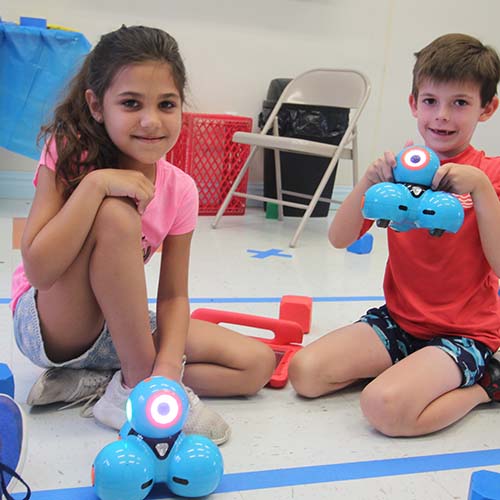
This lesson will introduce the third application used with Dash; Blockly. The Blockly application uses drag and drop commands that the campers can use to create a program, or algorithm, for Dash to do. This introductory lesson will cover the drive folder of the Blockly application.
Lesson Objective
Today we will:
Learn how to use the Blockly application with Dash.
So we can:
Program an algorithm for Dash to complete while being automated.
Content Vocabulary:
- Robot– “a machine capable of carrying out a complex series of actions automatically, especially one programmable by a computer.” (Google)
- Coding-A system of signals used to represent letters or numbers in transmitting messages. The instructions in a computer program. A way to communicate with the robot. (Google)
- Programming– the action or process of writing computer programs.
Teacher Demonstration
- Show campers how to open the Blockly application.
- Show campers how to connect Dash to the Blockly application.
- Explain that the Start block always has to come first because that is how Dash knows to start “listening” to the rest of the program.
- Model opening Drive folder
- Model selection of command and drag it into the program.
- Model how the blocks click together in order to work.
- Model how to change parameters on the forward block.
- Explain how it is the same for the backward block
- Model how to change parameters on the right turn block.
- Explain that it is the same for the left turn block.
Extension Activity
Camper grouping: Pairs (High/low campers together)
Station 1 – Drive Forwards
Campers will practice driving Dash different distances forwards and seeing that changing the number on the command changes how far Dash goes.
Station 2 – Drive Forwards and then backward
Campers will now use the commands to drive forwards to a certain mark on the floor (tape, mark on tile/carpet, etc.) and then drive back to where it started.
Station 3 –Right Turn
Campers will program Dash to drive forwards to a certain mark, then turn right 90 degrees then move forwards again
Station 4 – Turn left
Campers will program Dash to drive forwards to a certain mark, then turn left 90 degrees then move forwards again
Station 5 – 180-degree turn
Campers will program Dash to drive forwards to a certain mark, turn 180 degrees, then come back to start.
The Dash robot is calibrated in centimeters. The conversion for centimeters is as follows:
1 IN = 2.54 CM
1 FT = 30.48 CM
In order to give your campers more practice with the Blockly Drive Application, prepare different cards with parameters they should use to program Dash. For example:
Move forward 70cm
Right turn 45 degrees
Move forward 50 cm
Left turn 15 degrees
Move forward 30 cm
Whenever a turn command is used, a forward command needs to follow if Dash is to continue moving forward on its path. These different scenarios will give your campers extra practice and better understanding of how the Drive command is used. Decide on the difficulty based on the age and ability of your class.
Have the campers create their own cards with commands their partner should follow.